A payment link sends your customer to a page on Payra’s domain that takes the payment by card or bank account, so card and bank details never reach your systems. There are two:
  • An invoice link pays an invoice already in Payra. Every open invoice carries one as payment_url: you read it from Invoices, you do not create it.
  • A checkout link pays an amount your server sets, such as an order or a deposit with no invoice yet. You create it with POST /checkout-sessions; see Hosted checkout.
Only an invoice link pays a specific invoice. A checkout session has no invoice field, so its payment is not applied to one.

What the customer sees

An invoice link opens the invoice, with what is left to pay:
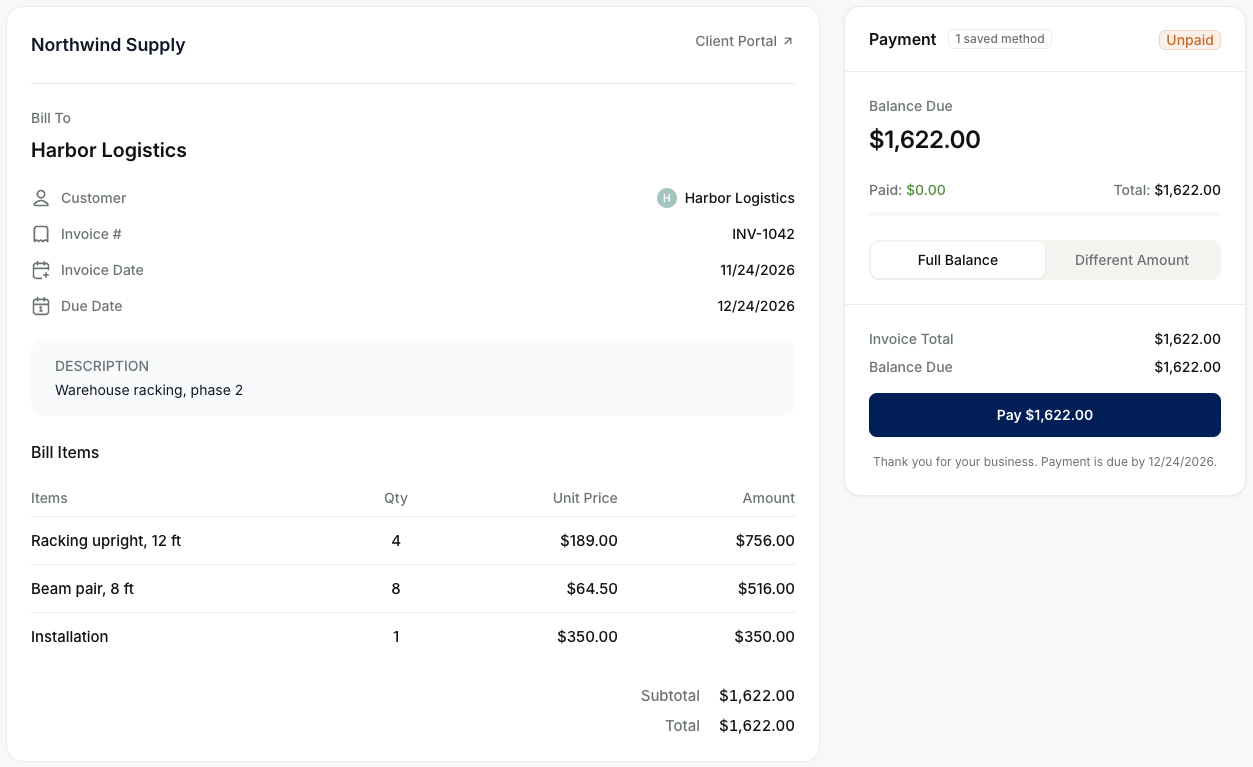
An invoice's payment page: the invoice's dates and lines on the left, the balance due and the Pay button on the right
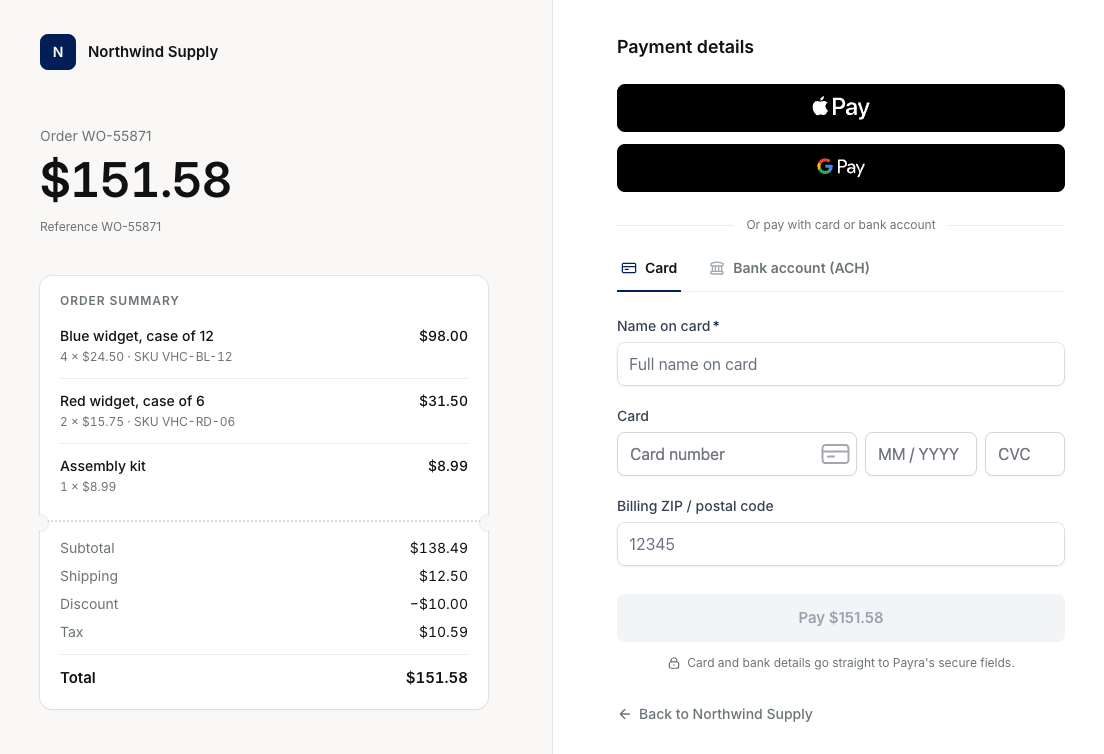
A checkout link opens the order your server sent, with its lines and the ways to pay the page offers:
A checkout page: the order summary and total on the left; Apple Pay, Google Pay, card and bank account on the right

Which one to use